Podlite
one markup, many possibilities
Podlite is a lightweight block-based markup language designed for flexibility and ease of use.

Podlite also works with AI agents: an agent writes the document, and podlite lint shows where its structure breaks. Use with an agent →
Podlite Desktop
Write on the left, see it rendered on the right. Windows, macOS, Linux.
Download →Podlite Web
Turn a folder of Podlite files into a static site. This site is one.
How it works →Podlite for agents
Structured markup your AI agent can read, write and check.
Install →Podlite CLI
Convert, render and query Podlite from the terminal. Runs with npx today.
Commands →Unbound by any specific domain, programming language, or concept, Podlite stands out as a universal markup language. It's versatile enough to be successfully implemented across various development fields, from web development to scientific research.
Write structured documents
Use named blocks and typed attributes for content and metadata.
Select blocks by name and attributes
npx podlite query 'head1' docs/*.podlite --to json
Run checks after an edit
podlite lint reports a block left open, with its line. podlite test
checks a document against assertions you write, for example that it has a code
block in a given language.
Run lint and query after an agent edits a document: files, commands and output.
Bring your Markdown
Podlite reads .md files as Markdown, and a Podlite document can include a
markdown block.
Why blocks
The CommonMark site says nothing in Markdown counts
as a syntax error. The Podlite specification requires a parser
to warn when inline formatting such as I<...> is left unclosed, and
podlite lint reports it with the line.
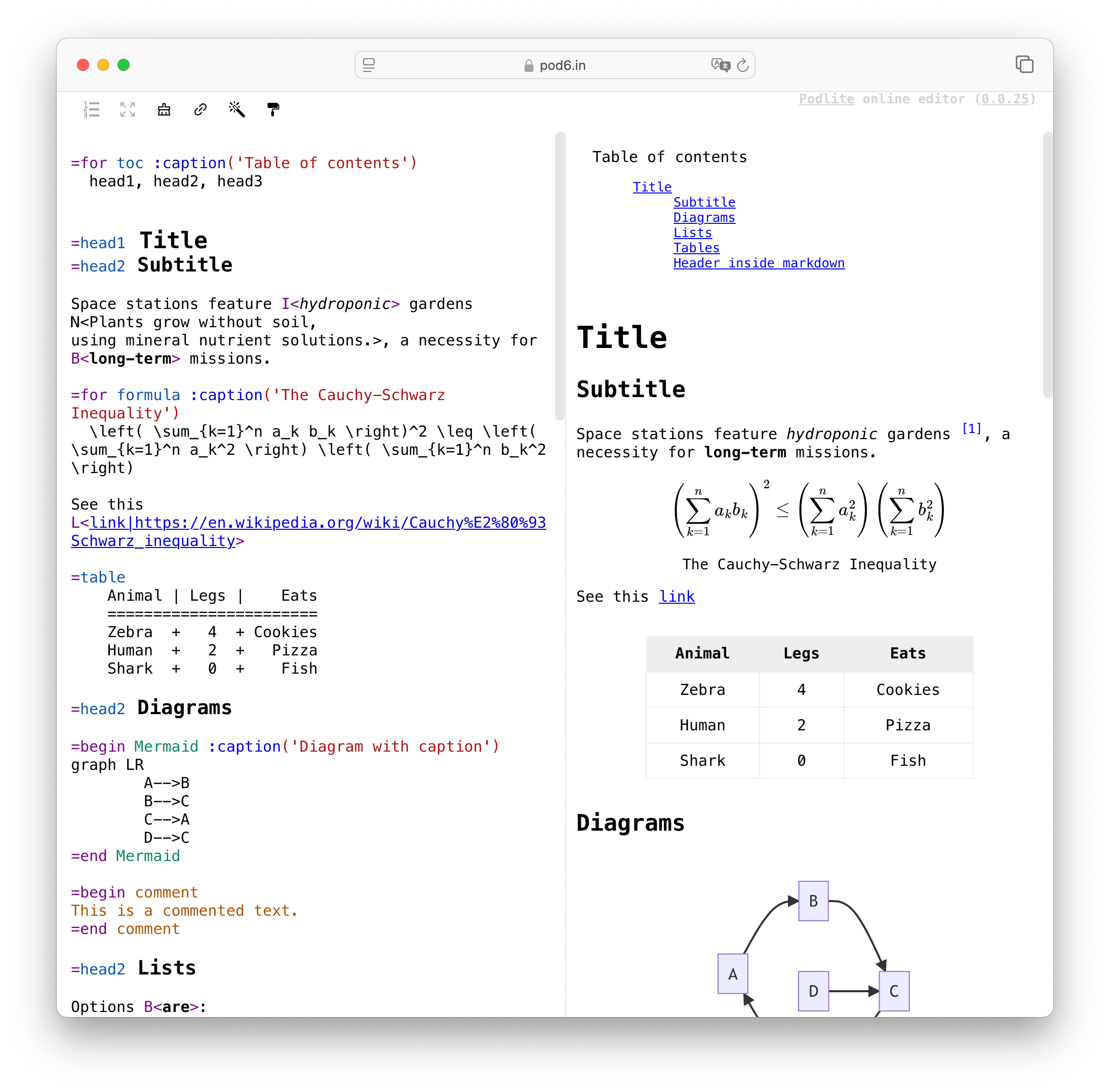
Web version of Podlite editor - pod6.in
Tools
Install
Funding ↗ pays for the time that goes into Podlite.
© All rights reserved. 2023-2026. CC BY-SA 4.0. Made with podlite | Terms of Service | Privacy Policy