Podlite Desktop 0.9.0: Markdown as a native format, highlighting from the document tree
Markdown is now fully supported
The editor opens a .md file the same way it opens its own documents.
Double-click, drop on the icon, File then Open. The source pane highlights it as
Markdown, down to the fenced code, coloured by the language named in the fence. A
js block and a python block in the same file do not look alike. Task items
keep their brackets in the source and become real checkboxes in the preview.
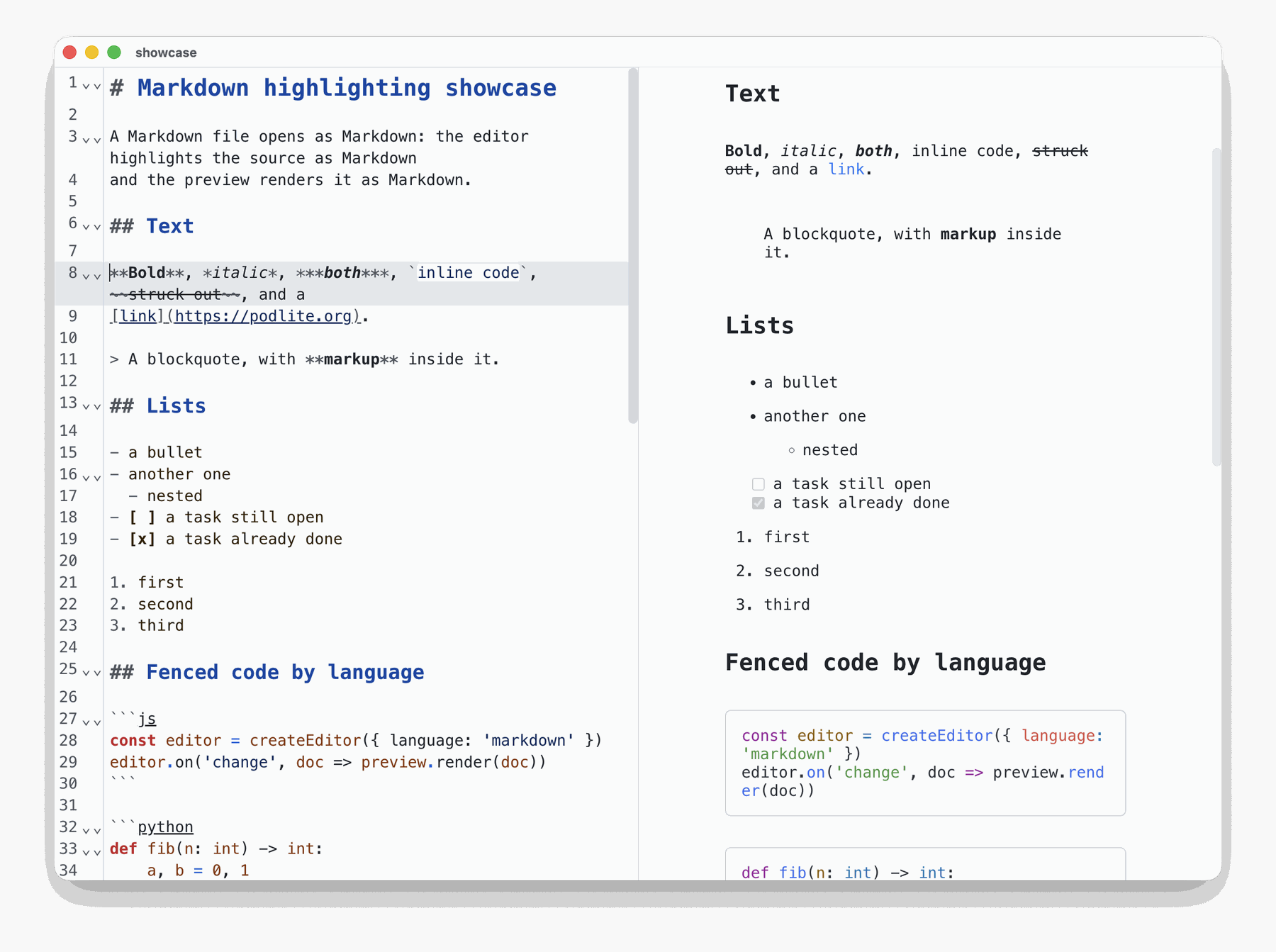
The preview renders live as the text is typed. The window, the shortcuts and the folding are the ones Podlite documents already use.
"Fully" is not a figure of speech here. Markdown does not sit next to Podlite as a separate language that would have to be dragged in. It is part of Podlite: the language takes it in, and the editor is built on the same parser. Supporting Podlite in full therefore means supporting Markdown in full.
When an app says it "also supports Markdown", the expectation is a second-class
version: a separate window, a preview that drops the code colours. None of that
is here. One parser, one tree. A .md file looks the same inside as a
.podlite one.
Highlighting that reads the tree
Work in this release went into two places. One is visible: Markdown now opens. The other is not visible from outside: highlighting stopped working line by line.
Until this release the editor scanned each line on its own. That is cheap and it gets most of the way. It fails at exactly the places where a markup language stops being flat text:
a block name spanning two lines
a setting whose value carries the same characters as a delimiter
a fence inside a fence
Now the editor reads the parsed document, the AST tree the renderer works from, and colours from that. Four things follow.
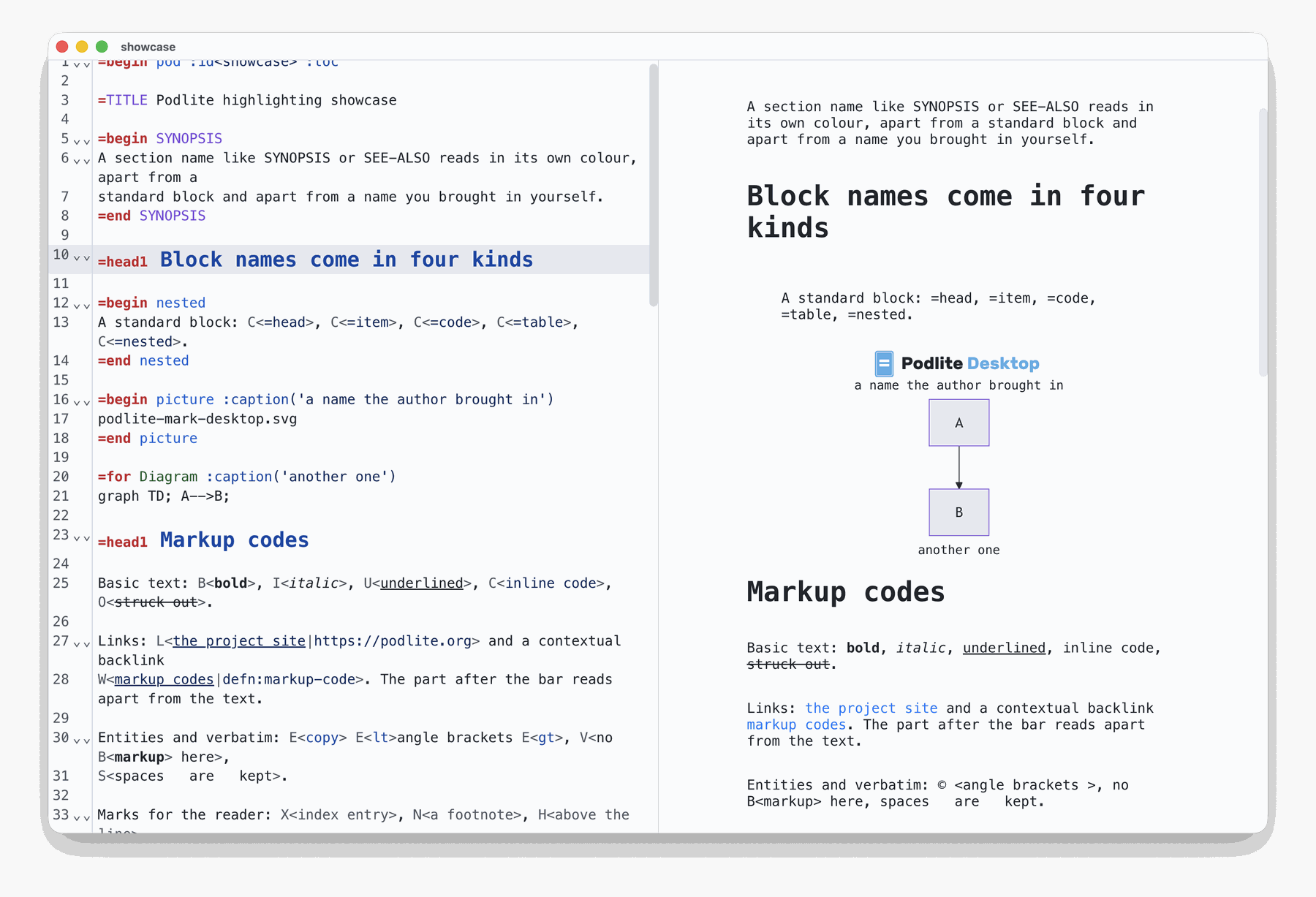
Every markup code gets its colour
All of them, not the handful a regular expression could recognise safely.
Block names read by kind
=head, =item and =code are the language itself. SYNOPSIS and
SEE-ALSO are section names. =Diagram and =picture came in from outside
the core, and so does any block defined for a particular set of documents. Three
kinds, three colours: the tree says which is which, so the editor no longer has
to infer it from the shape of the name.
Settings inside a fence are coloured
The same way in a .podlite file and in a .md one. Same parser, same tree,
same colours.
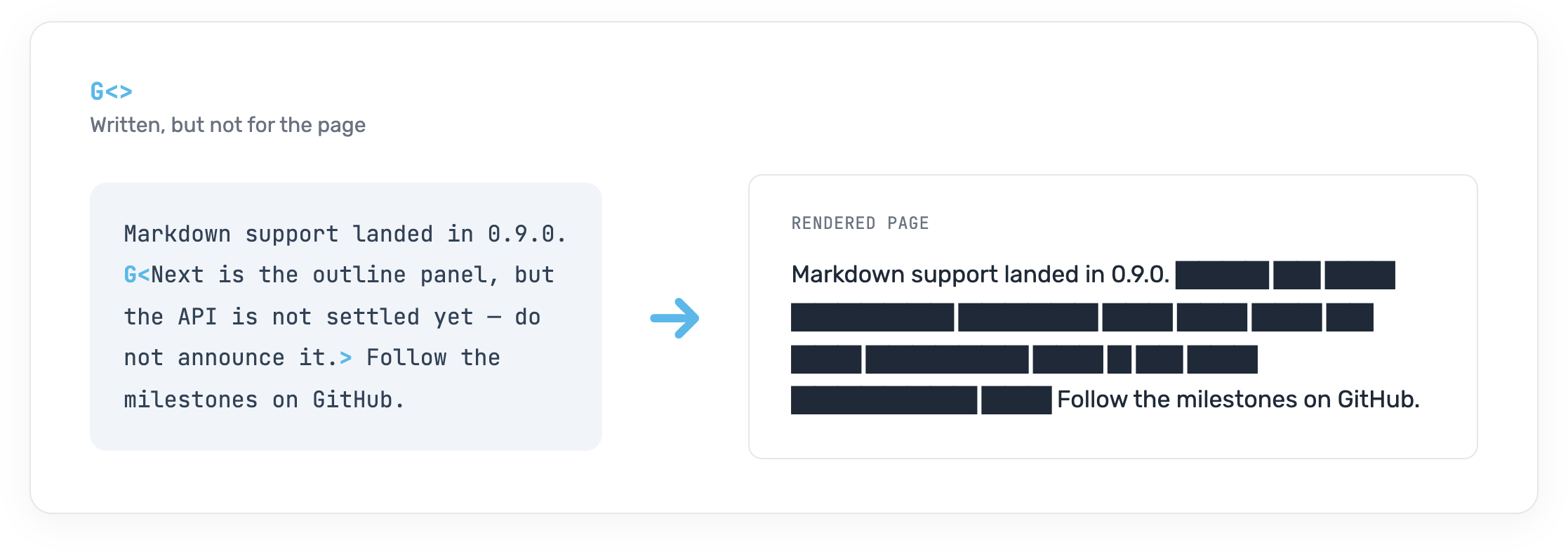
Hidden content shows as a covered strip
G<> marks text that is written but not meant to be published yet. In the
editor the strip stays covered until the caret reaches it.
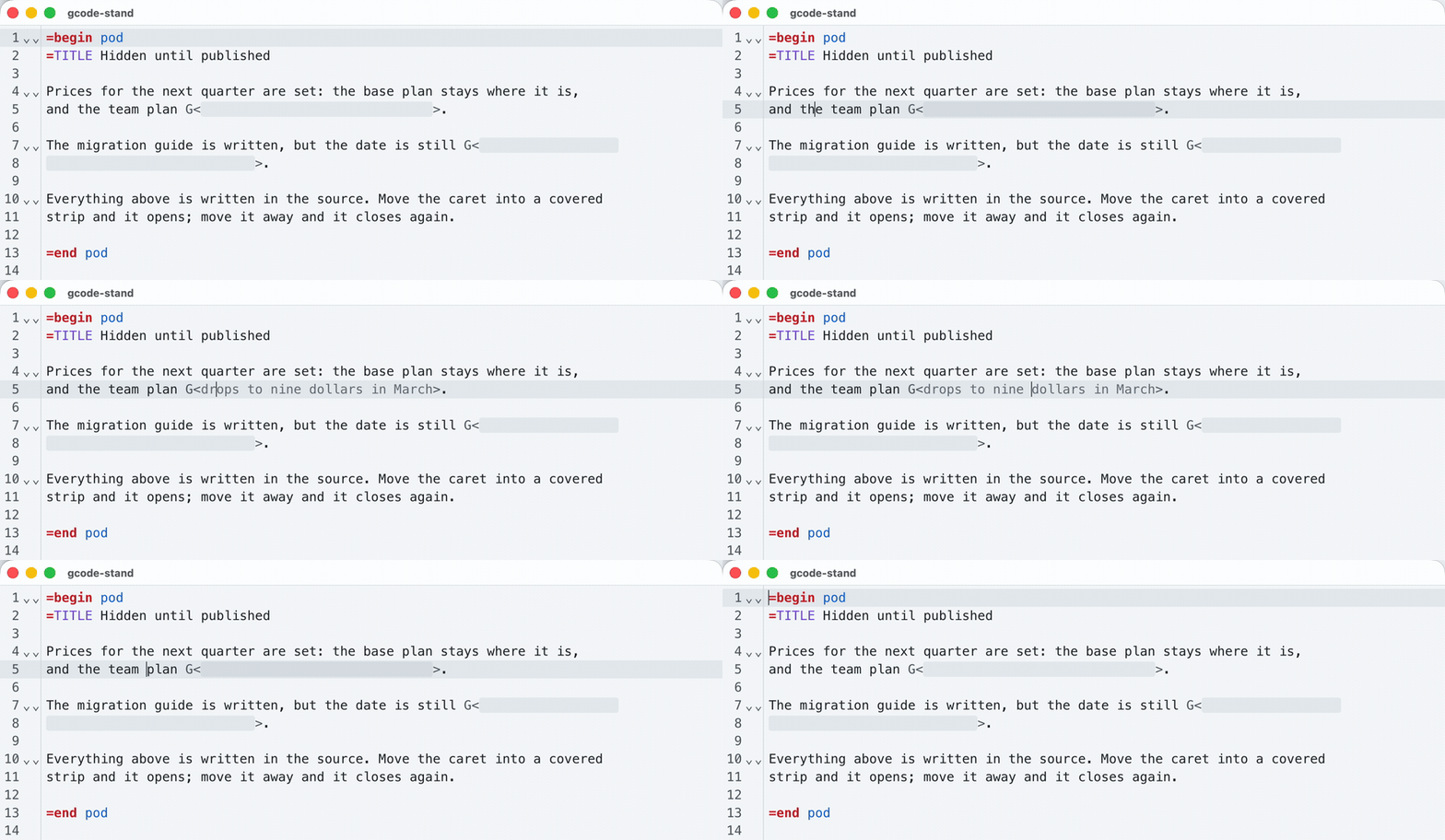
That is the editor. On the page the same passage renders as a solid block and stays that way unless the renderer is told to reveal it.
The new =set directive
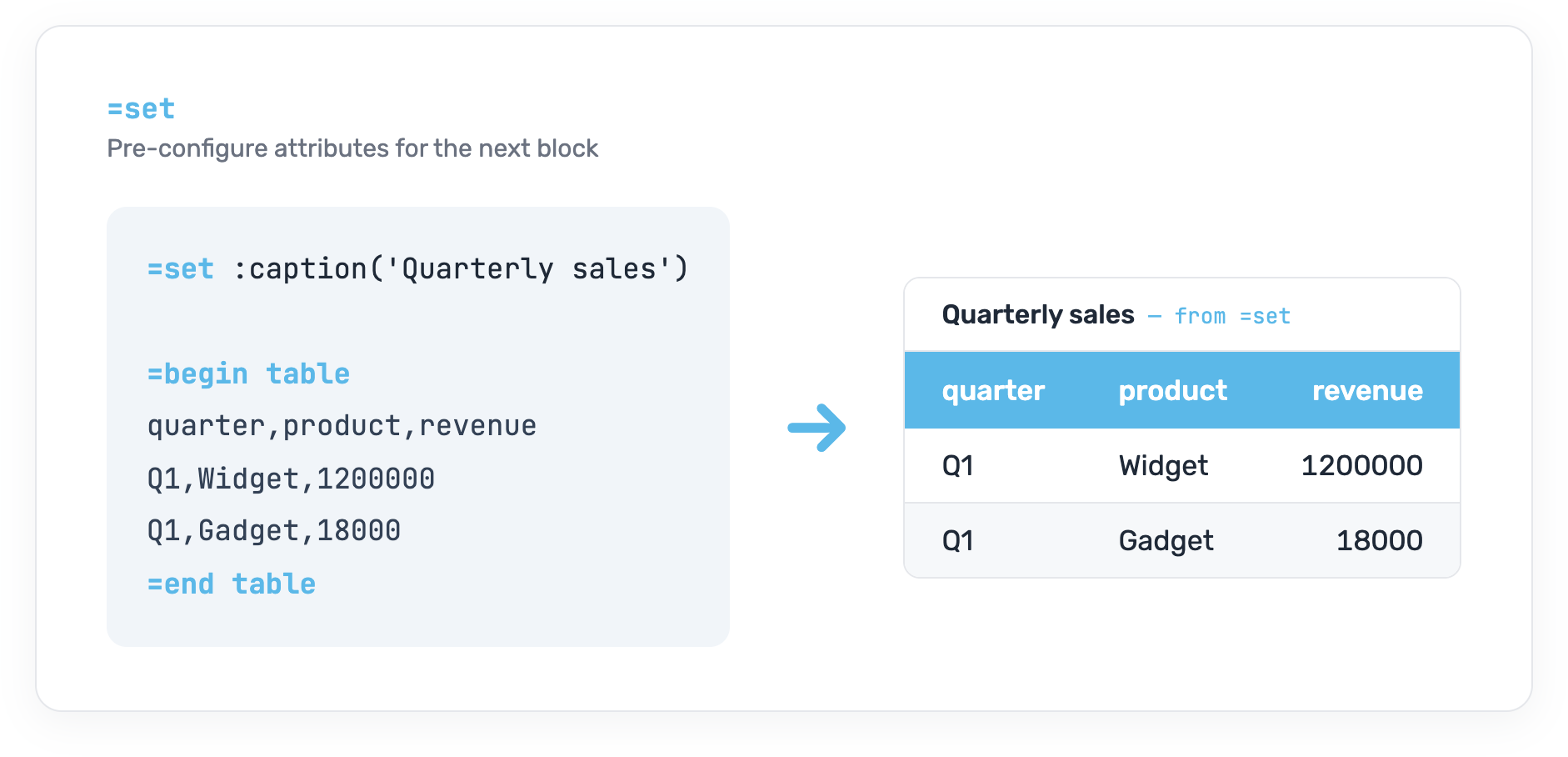
=set passes settings to the block that follows it, so a caption or a language
sits on its own line instead of crowding the opening line.
=set :caption('Quarterly sales')
=begin table
  Quarter  | Product  | Revenue
  ---------|----------|----------
  Q1       | Widget   | 1 200 000
  Q1       | Gadget   |    18 000
=end table
The other way to write this is =begin table :caption('Quarterly sales'). One
setting on the opening line reads fine. With a second and a third the first line
of the block becomes its longest: the configuration comes first and the table
only after it. =set keeps opening lines short.
Fixed in this release
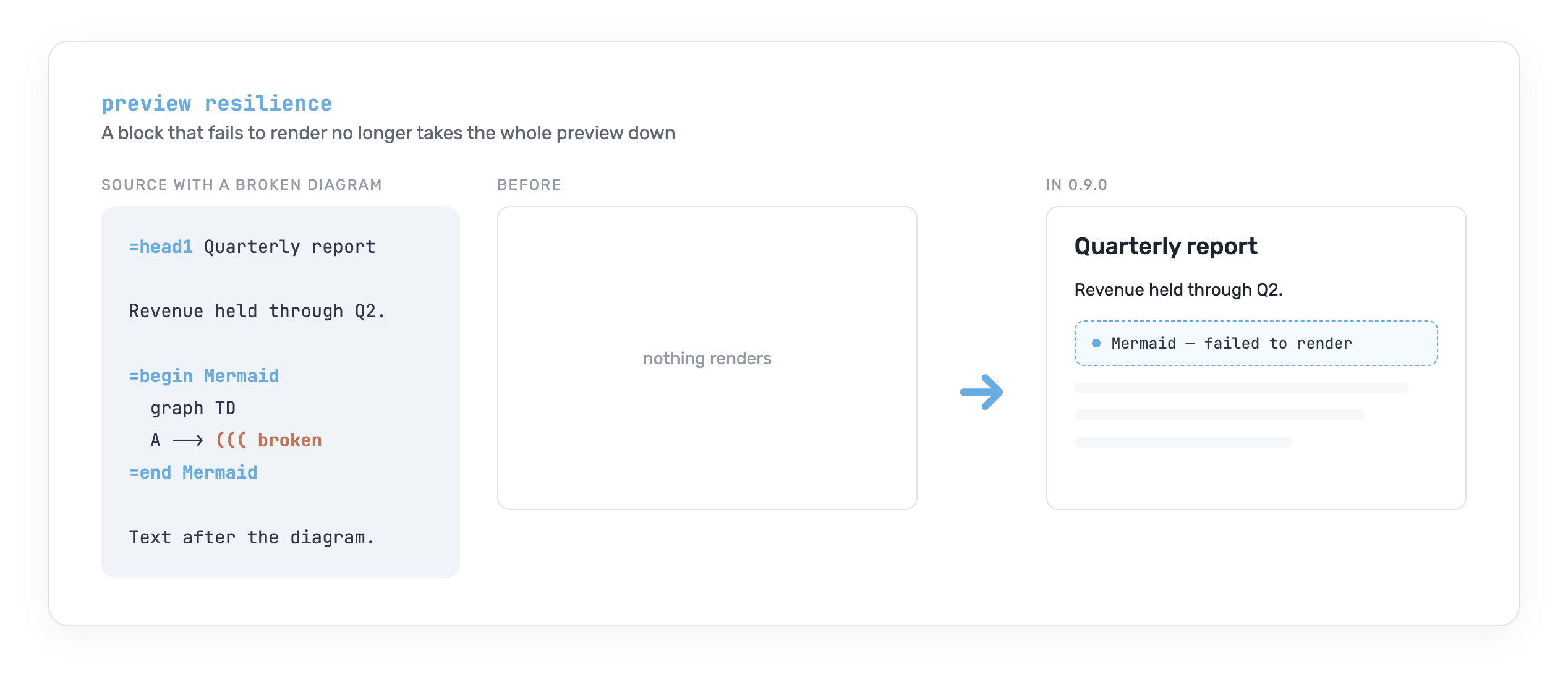
A failed block no longer blanks the preview: the block that failed degrades to a small placeholder and everything around it keeps rendering.
Three cases where the markup was valid and the preview showed the source instead of the result:
W<>, the contextual link to a definition:W<markup code|defn:markup-code>ties the phrase to wherever that term is defined.Entity codes inside an inline code span:
C<E<lt>tag E<gt>>puts angle brackets inside code without feeding them to the parser.A table inside a cell: cells hold blocks, not just text, and a nested table renders as a grid.
Get it
Podlite Desktop 0.9.0 is free and open source (MIT).



Also available from GitHub Releases (macOS arm64+x64 DMG/zip, Windows .exe/.zip, Linux AppImage). An installed copy updates itself.
Source code: github.com/podlite/podlite-desktop