Podlite Desktop 0.7.0 released
Podlite Desktop is a free, open source editor for the Podlite markup language. It runs on macOS, Windows and Linux. Podlite extends Markdown with blocks for diagrams, formulas, tables, task lists and more — while keeping Markdown as a native supported format via the =markdown block.
Version 0.7.0 focuses on the editing experience: smart lists, code folding and instant typing on large documents.
Smart lists
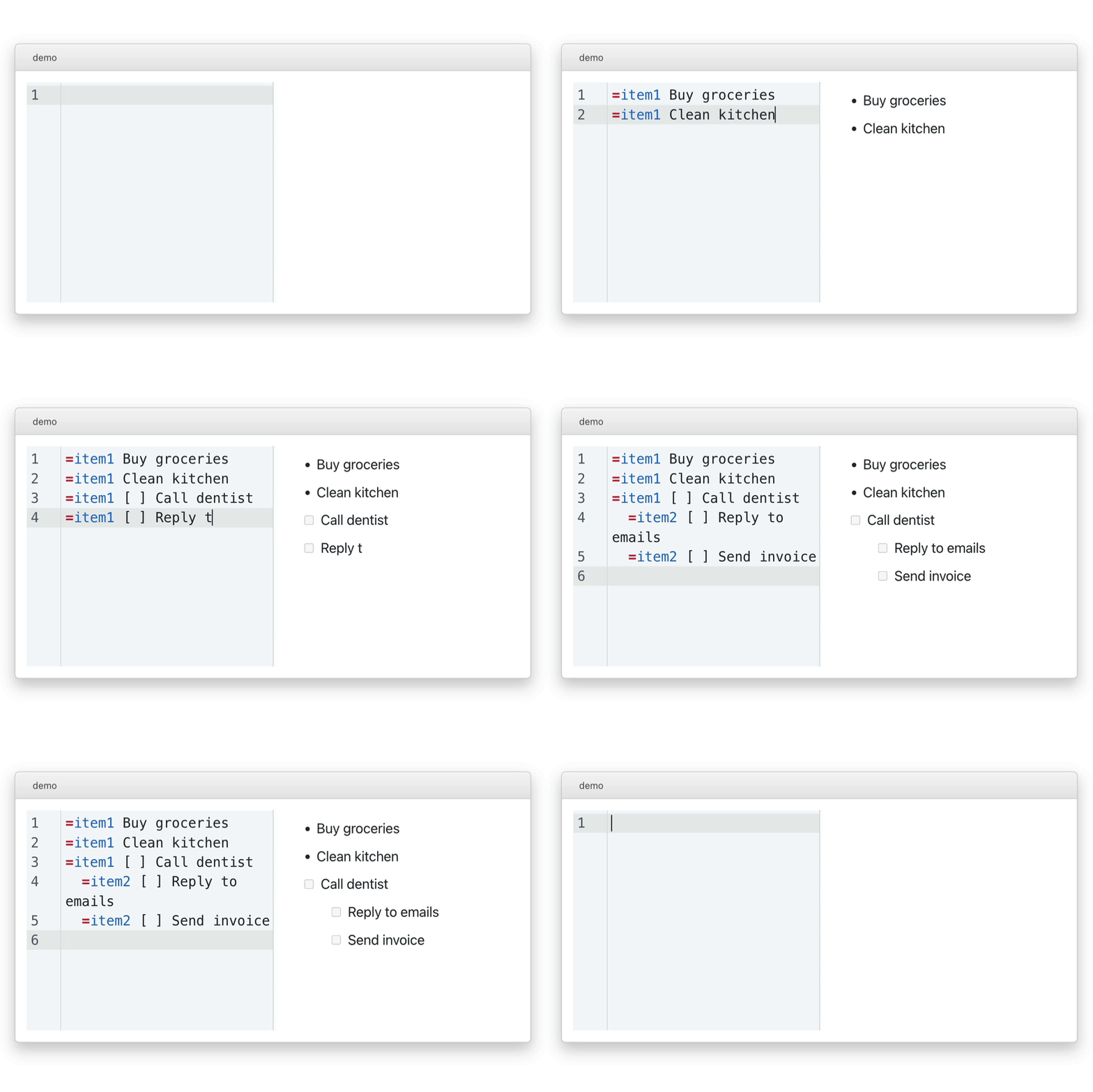
The editor now continues lists when you press Enter. The new item inherits the type prefix — checkboxes [ ], checked items [x] and numbered markers # carry over automatically. An empty Enter removes the item marker and exits the list.
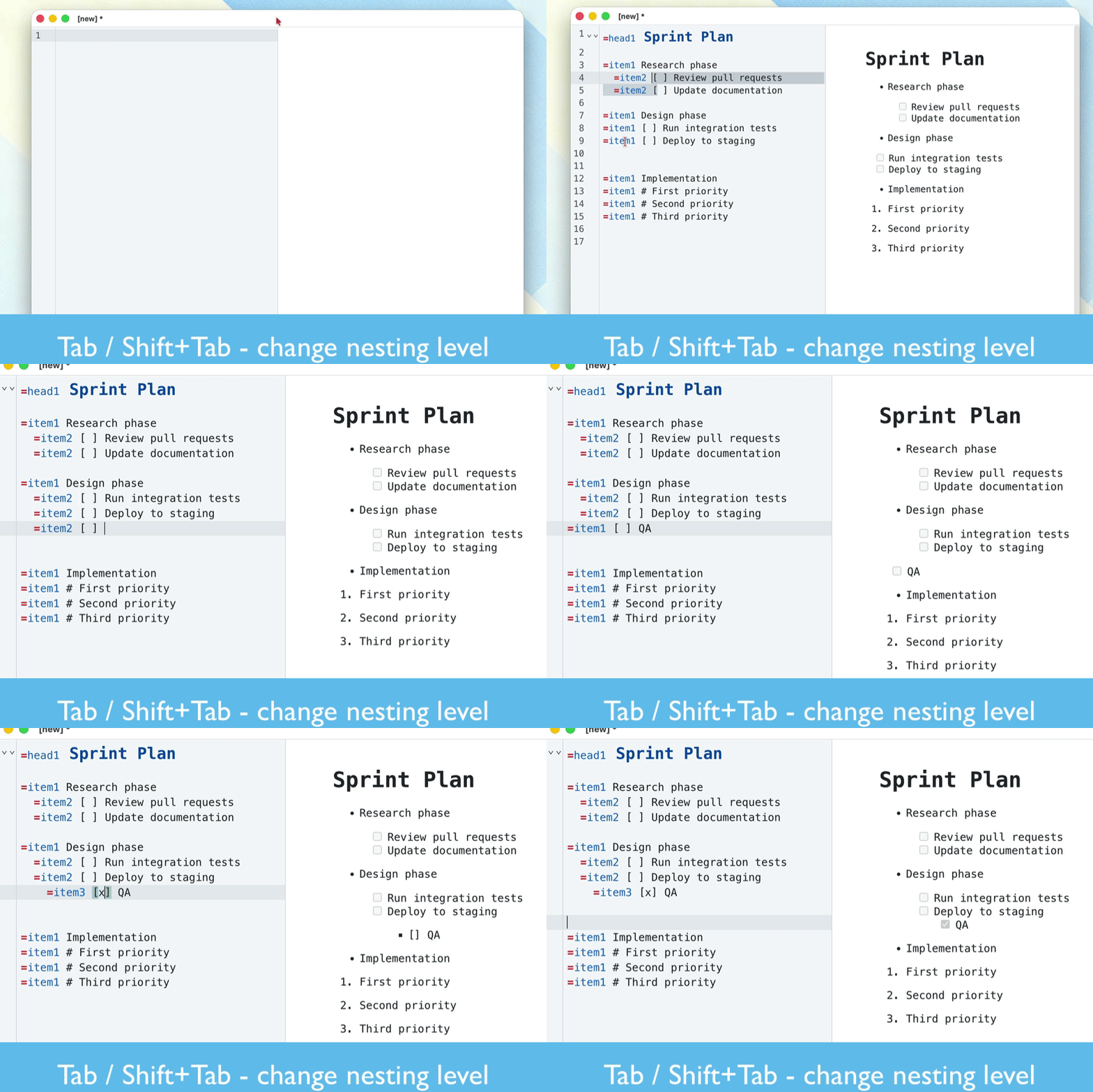
Tab increases nesting level, Shift+Tab decreases it. This works across all three list types: plain, numbered and task lists.
Code folding
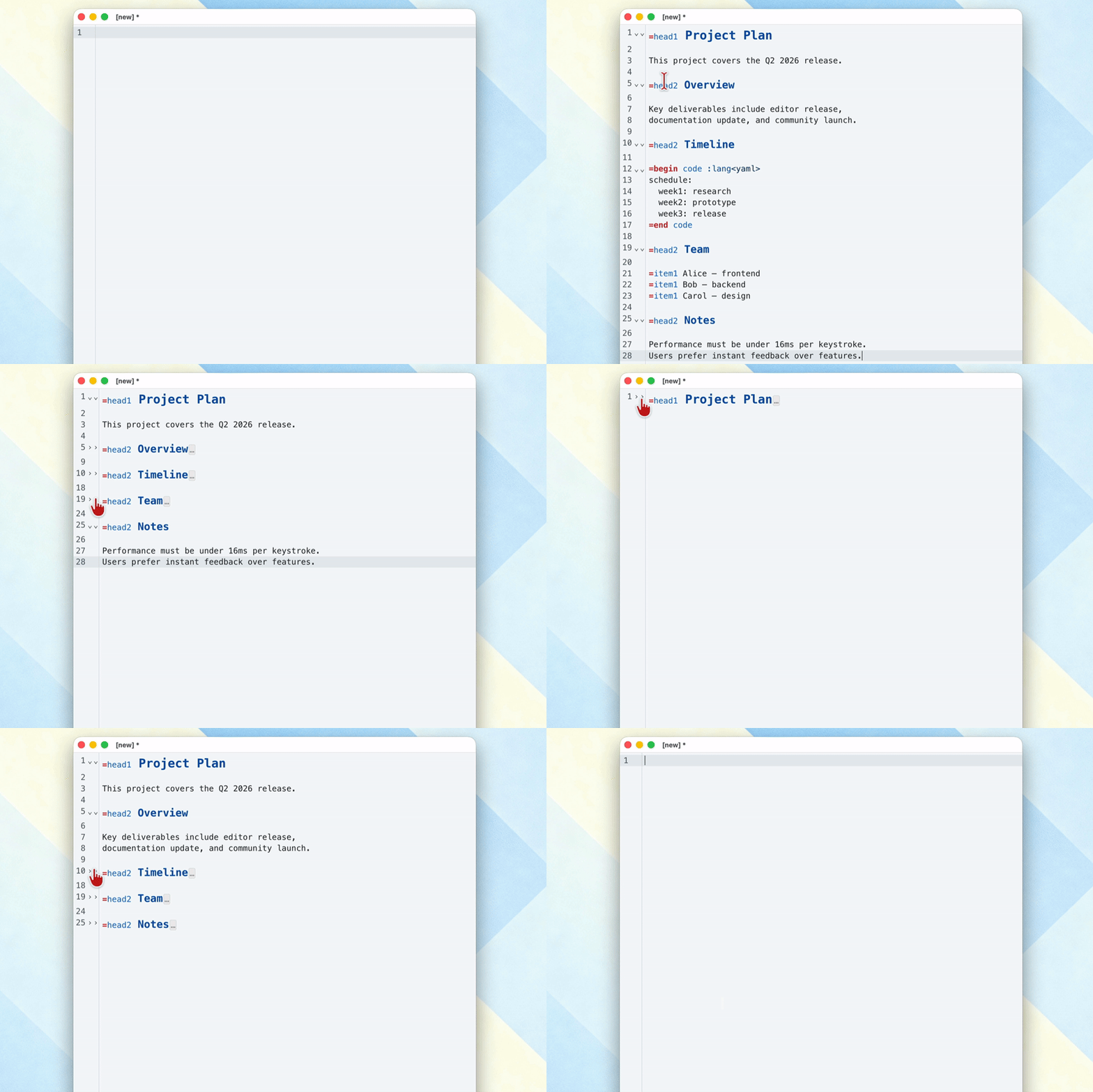
Collapse =begin/=end blocks and =head sections with a click on the fold gutter or via Ctrl+Shift+[ / Ctrl+Shift+]. The fold state persists between sessions — reopen a document and all folds are exactly where you left them.
Collapsible blocks
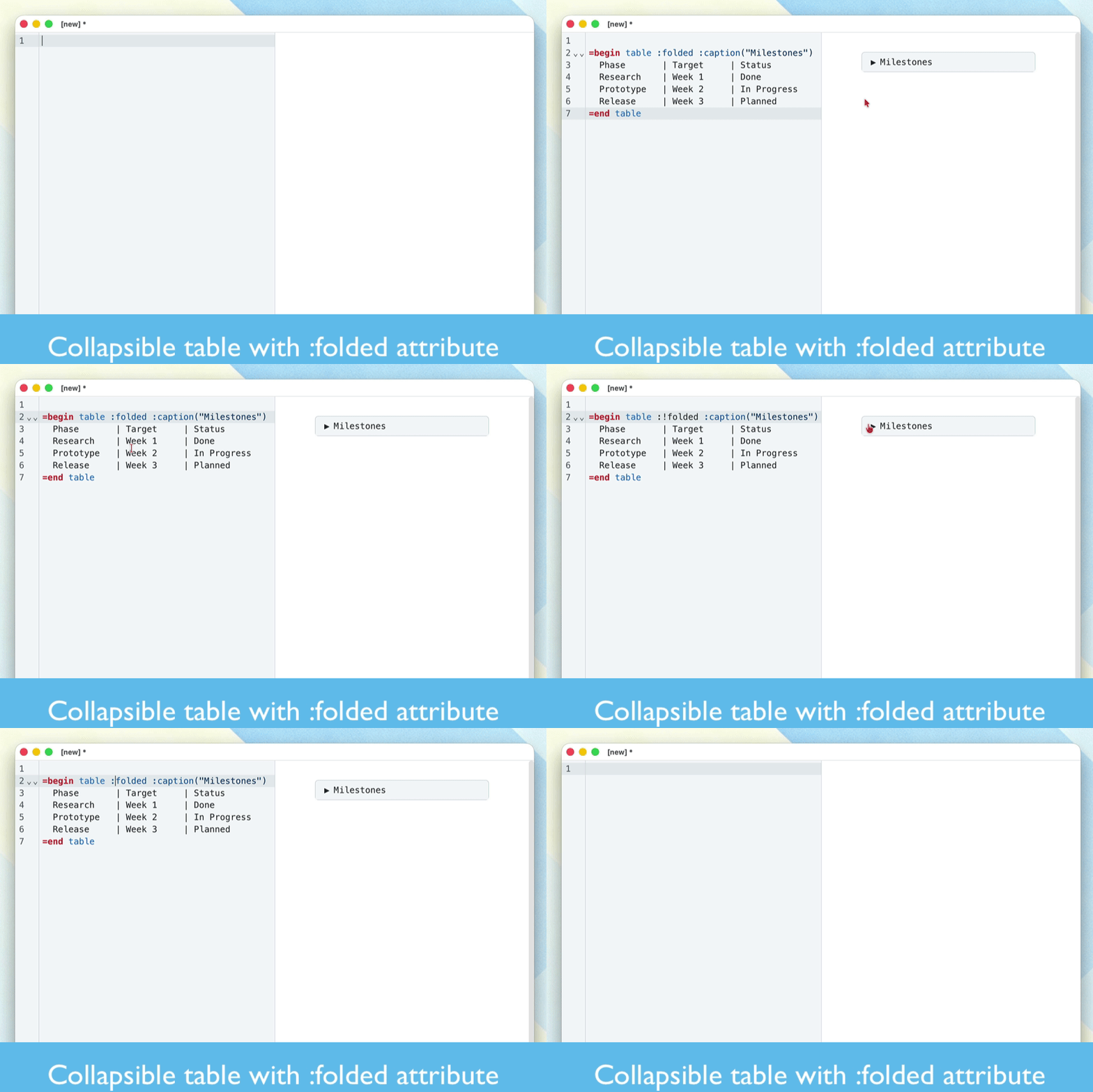
Add :folded to any supported block and it renders as a collapsible section in preview. Use :!folded for expanded by default. Works on =nested, =table and notification blocks.
Performance
Typing is instant, even on large documents. The previous version had noticeable delay on every keystroke — this is gone in 0.7.0.
Other improvements
session restore — cursor position, scroll offset, fold state and view mode persist between sessions
auto-reload — the editor picks up file changes from disk silently, or shows a dialog when unsaved changes exist
per-file view mode — each file remembers its own editor/split/preview preference
code highlighting in preview — syntax highlighting now works in rendered code blocks (#42)
links in preview — fixed for Electron 38 compatibility
search panel — no longer disappears after pressing Enter on the first result
Download
Podlite Desktop 0.7.0 is free and open source (MIT). Available on all platforms:
Source code: github.com/podlite/podlite-desktop