Podlite Desktop 0.8 released
Podlite Desktop is a free, open source editor for the Podlite markup language. It runs on macOS, Windows and Linux.
Version 0.8 lands as a series of patch releases (0.8.0 through 0.8.3) over a single week. This post covers the cycle: what's new, what's fixed, and a note on the community trail behind the fix list.
- What's new
- Inline image paste and drag-and-drop
- =include resolves in the live preview
- Glob patterns in =include
- Auto-numbered headings and lists
- Syntax-highlighted code blocks
- Native Apple Silicon build
- What's fixed
- File → Open and window behaviour
- =picture in the live preview
- External-edit reload after atomic writes
- Sandbox stability
- =Mermaid empty-block crash
- A note on the community trail
- Get it
What's new
Inline image paste and drag-and-drop
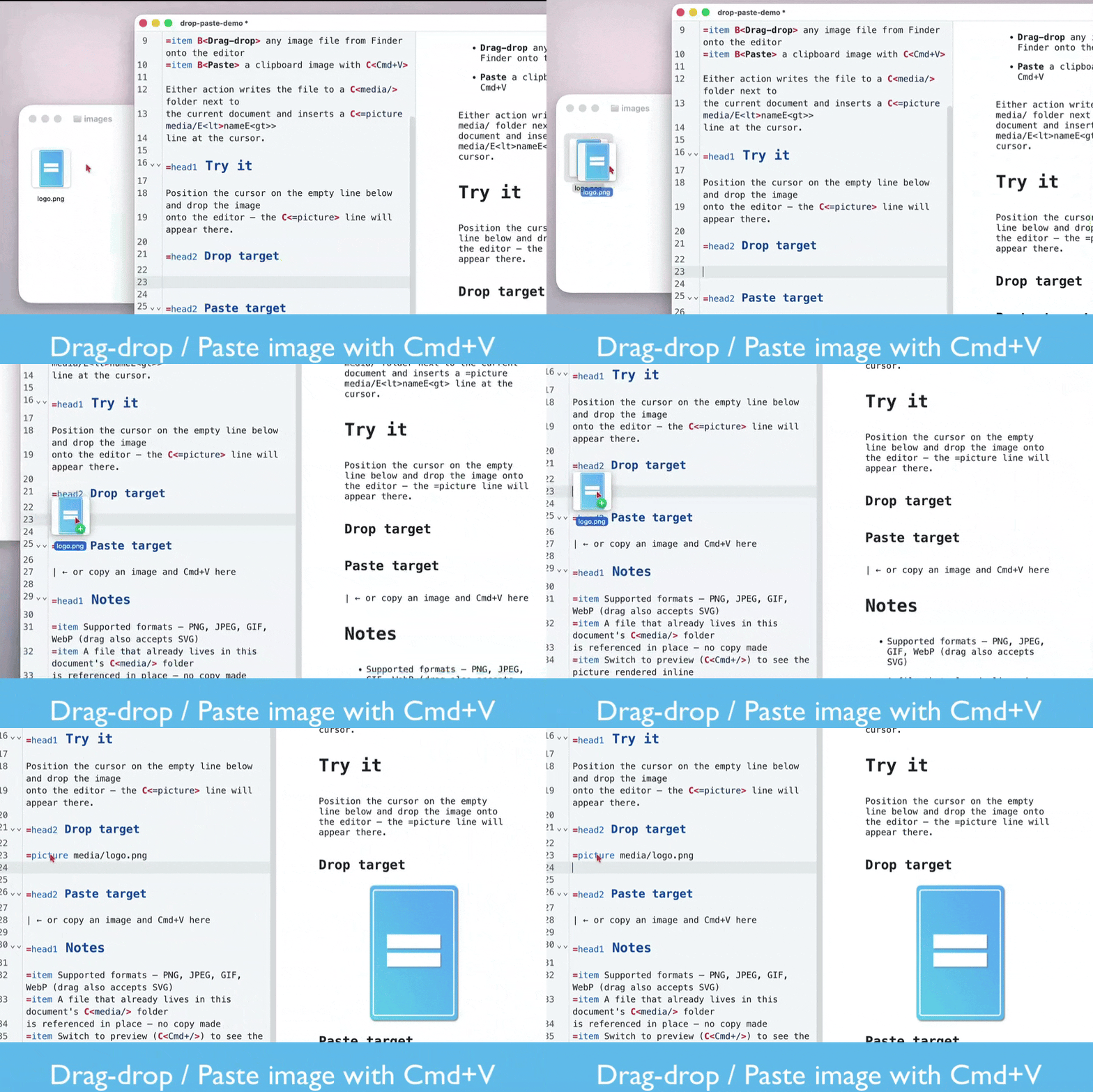
Paste an image from the clipboard with Cmd+V, or drag one in from Finder. The file lands in a media/ folder next to the current document and an =picture line referencing the new file appears at the cursor. Drop a file that already lives in media/ and the editor references it in place without copying.
=include resolves in the live preview
=include references resolve at render time against the current document's directory, so the preview shows the actual included content rather than a placeholder. A recursive watcher invalidates the cache when included files change externally, and the preview re-renders.
Glob patterns in =include
=include file:**/*.podlite | defn expands via a depth-bounded directory walk, skipping dotfiles.
Auto-numbered headings and lists
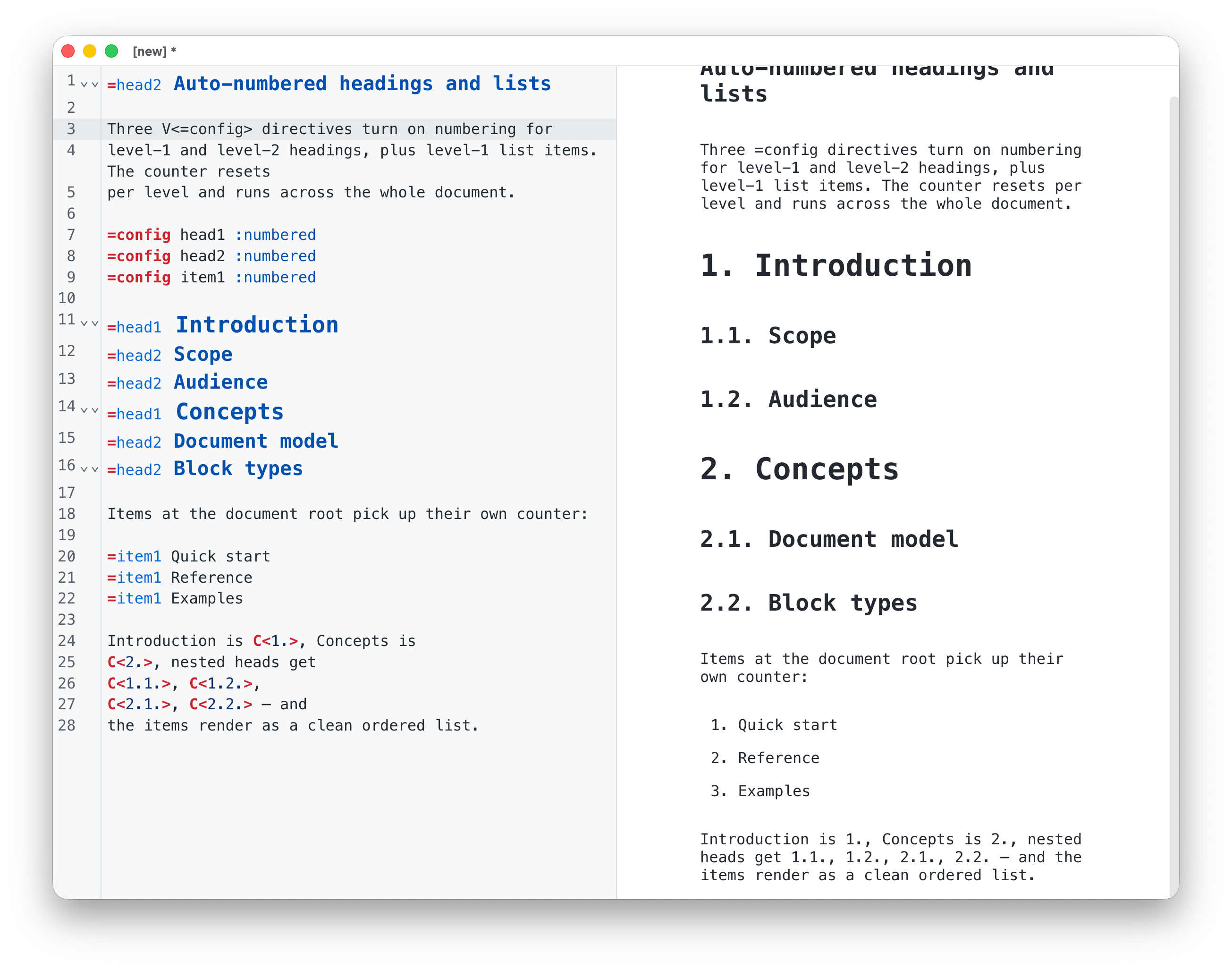
Mark a heading :numbered and it gets a prefix like 1., 1.1., 1.2.1.. =config head1 :numbered sets the default for the document; :!numbered on a specific heading opts out. =config item1 :numbered does the same for lists, rendering items as an ordered list (1., 2., 3.) instead of bullets.
Syntax-highlighted code blocks
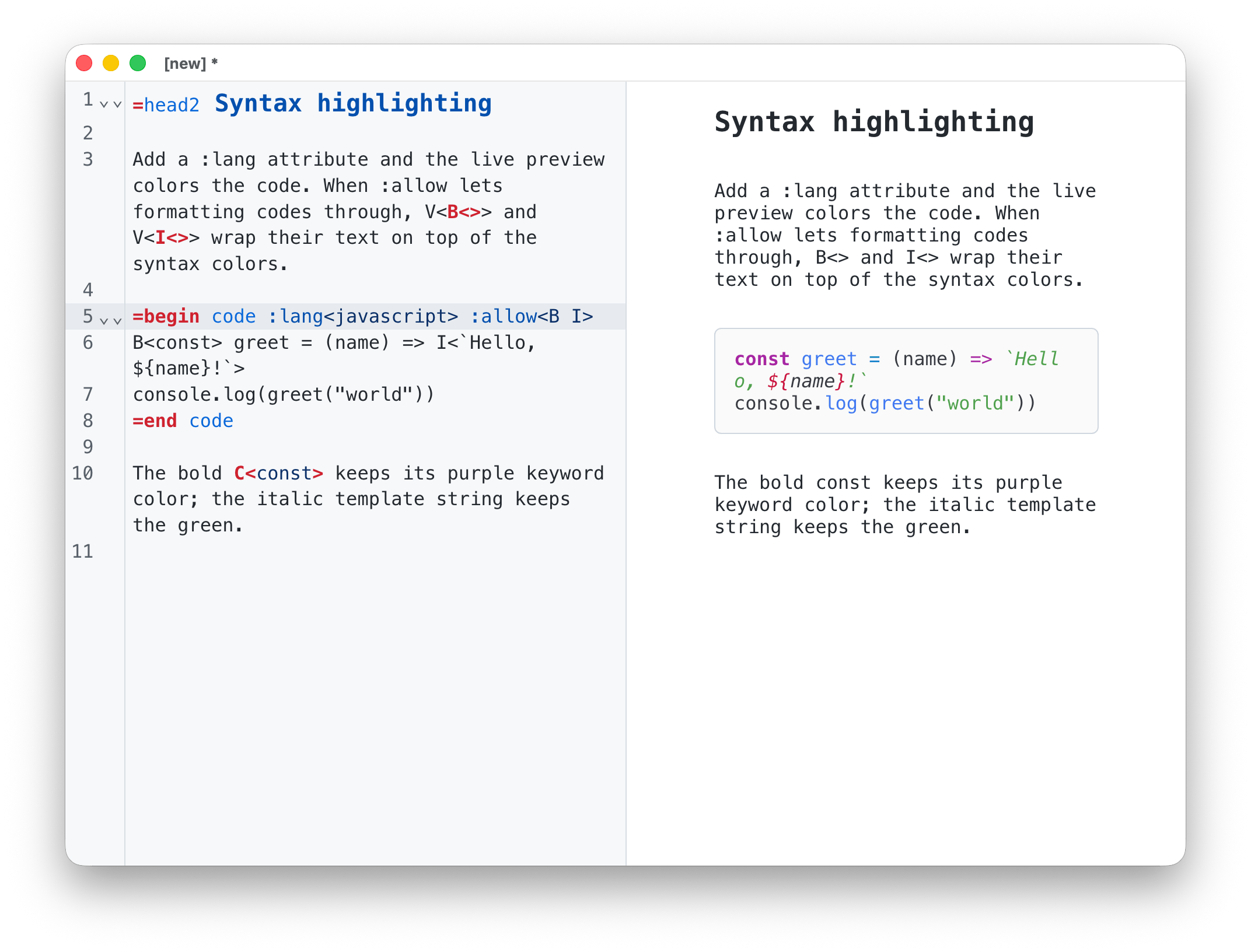
=code blocks with a :lang attribute are syntax-highlighted in the live preview now, matching the editor pane. Inline formatting codes compose with the highlighter: bold inside a code block renders over the syntax colors, italic and inline code too.
Native Apple Silicon build
The macOS distribution ships separate arm64 and x64 builds. Apple Silicon Macs get native execution instead of running through Rosetta 2; startup, file open, and preview-mode switching are noticeably faster on M-series machines. Download the matching architecture — the -arm64 suffix for Apple Silicon, the unsuffixed file for Intel.
What's fixed
File → Open and window behaviour
Opening a .podlite file from Finder no longer creates two windows. File → Open opens a fresh window for the new file instead of replacing the current one; empty untitled windows still accept the opened file in place. Cmd+S on an untitled document opens the Save-As dialog instead of doing nothing.
=picture in the live preview
Two separate fixes. The 0.8.0 fix corrected a file:/// protocol handler that stripped a leading slash, so absolute paths broke. The 0.8.3 fix lets the Mac App Store build render pictures — image bytes are read in the main process and inlined as a base64 data URL, so the renderer no longer depends on file:// access that the sandbox denies for sibling files.
External-edit reload after atomic writes
The previous reload-detection watched the file directly, which loses the inode when an IDE or sync tool writes via tmp + rename. The watcher now watches the parent directory and reloads on rename.
Sandbox stability
The file watcher no longer crashes the app when the OS denies recursive directory watching. Mac App Store paths and iCloud Drive folders hit this; auto-reload silently disables for that document instead of crashing.
=Mermaid empty-block crash
Typing =Mermaid from scratch no longer crashes the preview while the body is still empty. The renderer handles the transient empty-content state.
A note on the community trail
The fix list for 0.8.x is shaped by detailed bug reports from a single contributor across three ship cycles: stack traces, reproducible test cases, follow-up testing on each patch release. Between #53, #55-58, #60-62 a real chunk of v0.8.x came from your reports, @schueani. Thank you.
Get it



Also available from GitHub Releases (macOS arm64+x64 DMG/zip, Windows .exe/.zip, Linux AppImage).
Source code: github.com/podlite/podlite-desktop